Skip to content

Ayonix Analytics · People flow

Turn footfall into faster decisions.

See entrances, queues, occupancy and movement as they happen — then put staff and space where customers need them most.

  • Existing cameras
  • Edge or on-prem
  • API-ready

±3%

Directional count target

At calibrated entrances handling up to 60 people per minute, measured against manual ground truth during the agreed pilot windows. This is the target the acceptance test is written against, not a result measured at your site.

From the team whose face-recognition algorithms appear in NIST evaluations.

  • Site calibrated
  • Acceptance tested

Outcomes, not counters

Give every count a next action.

Operators need a decision before they need another dashboard. Ayonix turns live flow into actions for service, staffing, safety and revenue.

Queue response

Alert staff before wait times cost you sales.

Set queue-length and wait-time thresholds by service point. Notify the right team while there is still time to open a lane or move staff.

Live queue length · estimated wait · threshold alerts

Staff planning

Schedule people for demand, not yesterday's averages.

Compare hourly traffic across entrances, floors and sites so shifts, breaks and service coverage follow actual visitor patterns.

Hourly demand · peak windows · multi-site benchmarks

Retail performance

Know which traffic became revenue.

Join visitor counts with POS data to see conversion by store, campaign, trading period and entrance — without identifying shoppers.

Footfall · conversion · campaign uplift

Capacity control

Act before a space becomes overcrowded.

Maintain live occupancy by zone and trigger operator, signage or building-system actions when configured limits are approached.

Live occupancy · zone limits · automated actions

Real deployment experience

Built in real Japanese spaces.

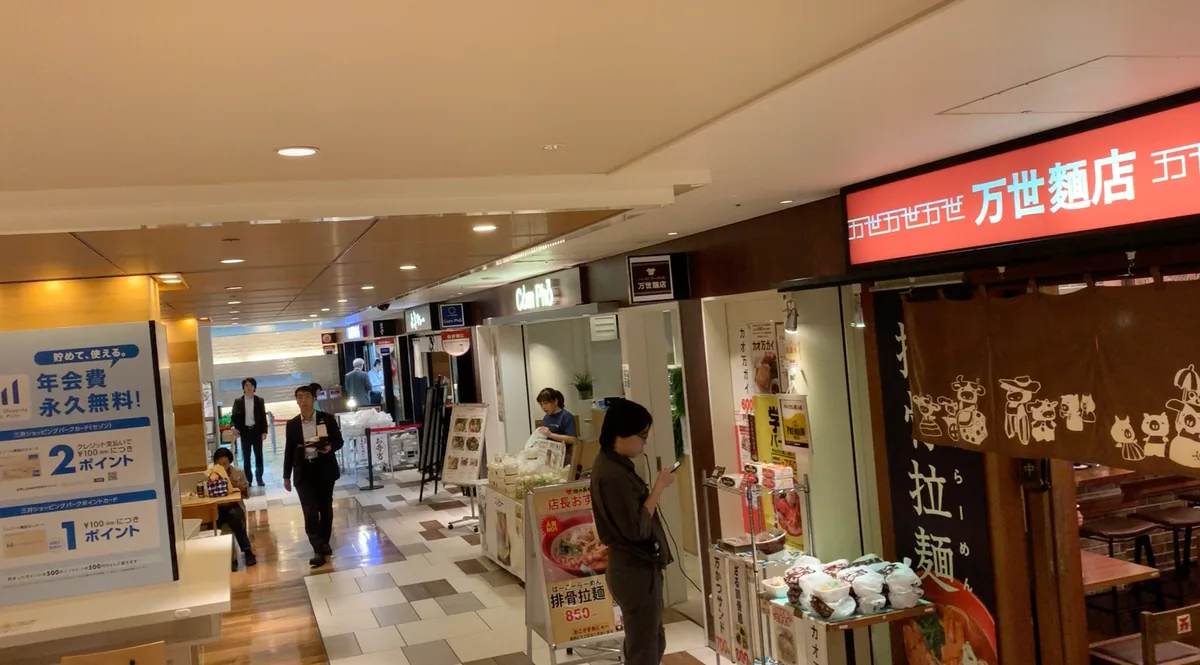
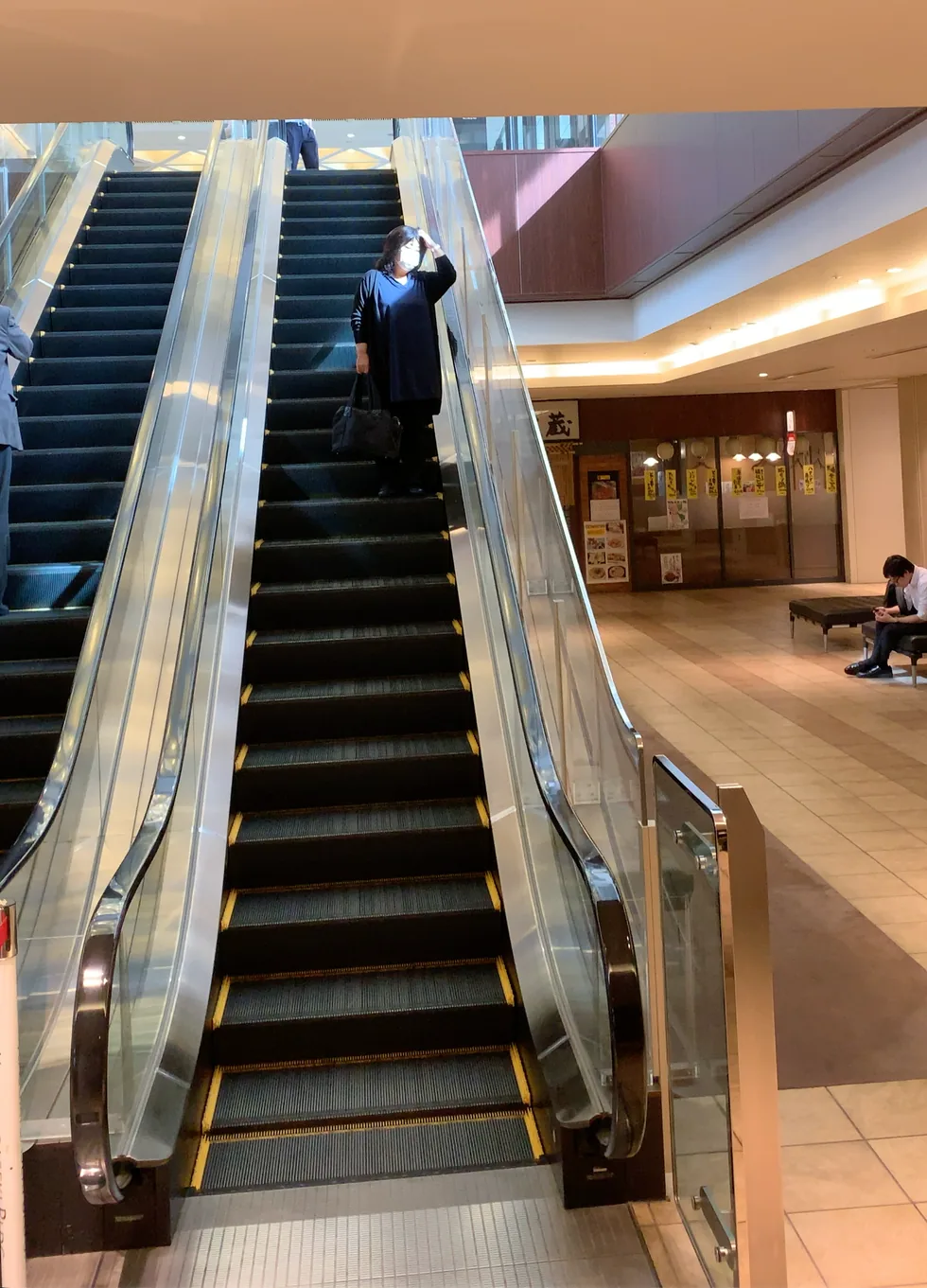
Entrances, escalators and mixed retail traffic create the conditions that matter: changing light, two-way movement and real operating pressure.

Concourse of a multi-tenant Japanese commercial building, with shopfronts along both sides of a walkway
Real siteMulti-tenant commercial entrance
Escalators rising between floors of a Japanese commercial building, the kind of scene used for directional people-flow measurement
Real siteEscalator directional flow

Buyer's comparison

Why Ayonix instead of another counter?

Ayonix adds an analytics layer to your camera estate, with procurement-grade validation before scale.

CapabilityAyonix AnalyticsDedicated sensorCamera-native app
Works with existing CCTVYes — RTSP / ONVIFUsually new hardwareOften limited
Directional flowMulti-line and zoneEntrance onlyBasic line crossing
Queue and dwell outcomesBuilt inSeparate systemVaries by model
Edge / on-prem deploymentYesVendor dependentCamera-only
VMS and business dataAPI, webhooks, CSVLimited exportsVendor ecosystem
Pilot acceptance testManual ground-truth planRarely includedInstaller dependent

Privacy by architecture

Count movement without identifying people.

Keep video where your policy requires. Export only approved events and aggregate counts.

  • No identity requiredBody-based counting for core people-flow use cases.
  • Retention by deploymentSeparate video, event and aggregate-data policies.
  • Controlled accessRole-based operations and auditable exports.
Review the privacy architecture
01Network cameraCamera streamNetwork camera
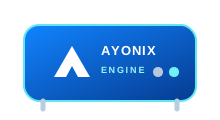
02Ayonix Engine edge applianceAyonix EngineLocal processing
03Approved, privacy-preserving output leaving the siteApproved outputCounts · events · API
  • Control mapping for GDPR
  • CCPA configuration worksheet
  • Evidence pack for your auditor

Clear entry points

Start with the cameras you already have.

Confirm your configuration, validate the scene and expand to every site through the same reporting layer.

Software

from $75

per camera / month

  • Directional counting
  • Occupancy and alerts
  • Dashboard and exports
Confirm configuration
Procurement FAQAnswers before the first call.
Does people counting require face recognition?

No. Core counting uses body movement across configured lines and zones. Identity matching is not required, and counting does not switch it on.

Can Ayonix use our current cameras?

Often, yes. Ayonix accepts standard RTSP streams and can integrate with common VMS environments. Camera angle, resolution, frame rate and scene density are checked before the pilot.

How is accuracy accepted?

The pilot defines the entrance, traffic rate, test windows and manual ground truth. The ±3% figure is the target that acceptance test is written against — after site calibration, at entrances handling up to 60 people per minute — not a result measured at your site before the test has run.

Where can processing run?

At the edge, on premises, or in a hybrid design where video remains local and approved aggregate data is sent to reporting systems.

See it on your own video

Bring one entrance. Leave with a buying decision.

A 15-minute session covers camera fit, KPI design, deployment options and the fastest path to a measured pilot.

Book a 15-min live demo