
Know what matters
Prioritise VIP communication, deadlines, risks, commitments and decisions across the channels you connect.
- Morning and evening briefs
- Intent, urgency and sentiment
- A decision queue that links back to the source

Atlas Executive Assistant
One AI chief of staff for your inbox, messages, calendar, meetings, voice conversations and browser work — with approval before consequential actions.
The complete executive operating layer
Atlas carries context from the first message to the final follow-up. It works out what needs attention, prepares the decision, coordinates the people and completes approved work across your tools.

Inbox and messenger management
Atlas reads only the accounts and channels you authorise, then turns communication into a clear decision and action flow.

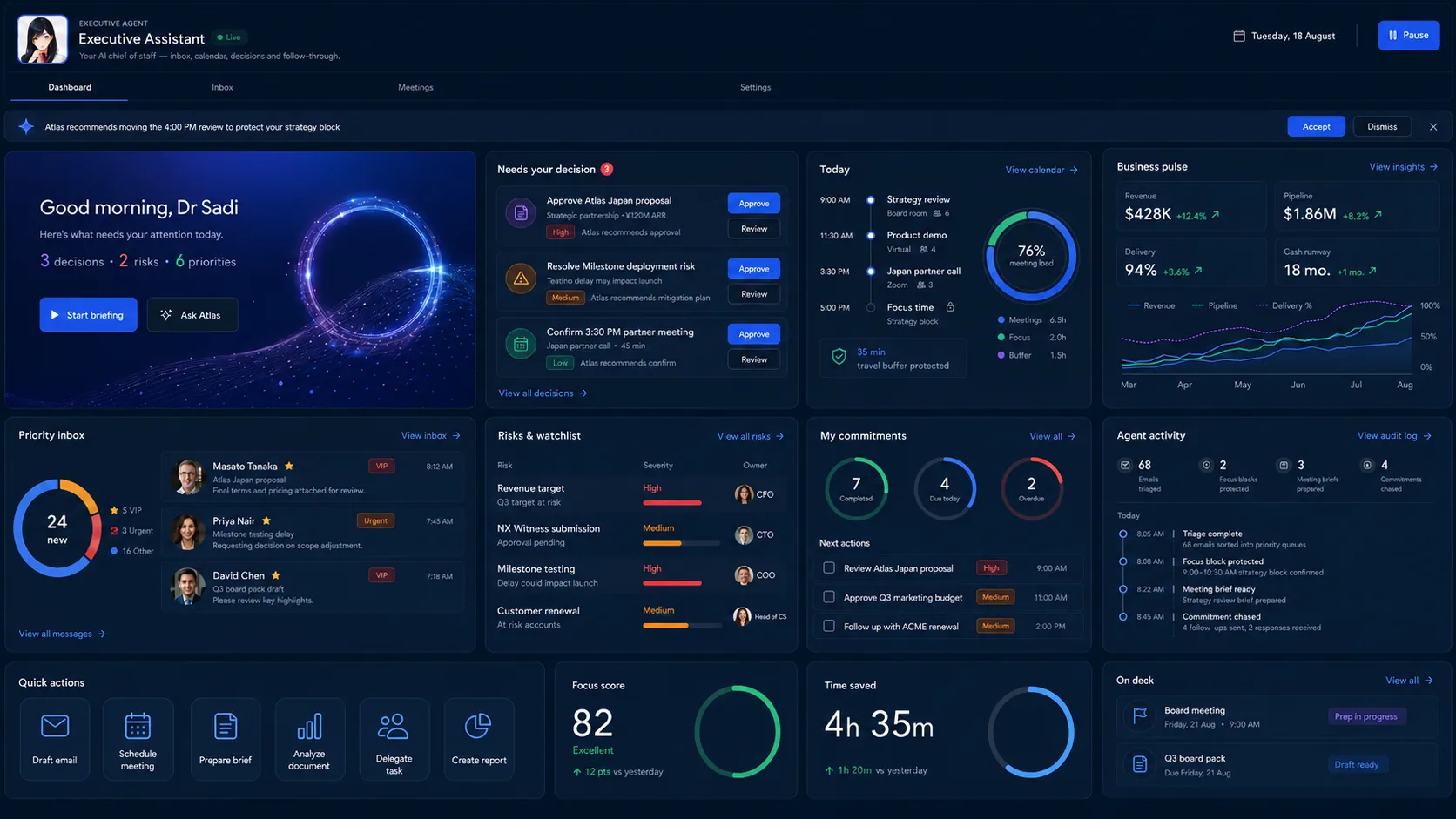
A command centre, not another inbox
Atlas brings priority messages, schedule pressure, risks, commitments and agent activity together. You see the few things that need judgement; the assistant handles the rest.

Meetings and browser work
Atlas prepares the room, captures the decision and carries the follow-through across the meeting platforms you connect.
Build the agenda, the attendee context, the open decisions and the pre-read.
Capture the discussion, summarise it, identify the decisions and assign the owners.
Send approved follow-ups, create the tasks, update the records and chase the commitments.
Research, navigate an approved portal and complete browser work — handing control back for credentials, payment and anything irreversible.
Designed around the executive workday
Talk, type or forward a message. Atlas applies your preferences and your company's policy, then chooses the connected tool the work needs.
Handle the partner messages, but let me approve anything that changes delivery scope.
Finds the relevant threads, groups them by account, drafts responses in your tone, flags the scope changes and brings only those replies to you for approval.
Integration approach
Start with the essential stack, then add Ayonix-managed connectors, API integrations, webhooks or verified MCP tools for the workflows that need them.
 Gmail
Gmail Slack
Slack LINE
LINE WhatsApp Business
 Messenger
 Discord
 Google Calendar
 Zoom
Zoom Google Meet
 Cal.com
 Google Drive
 Notion
 Salesforce
 HubSpot
 Asana
Asana Monday.com
 Jira
Jira ClickUp
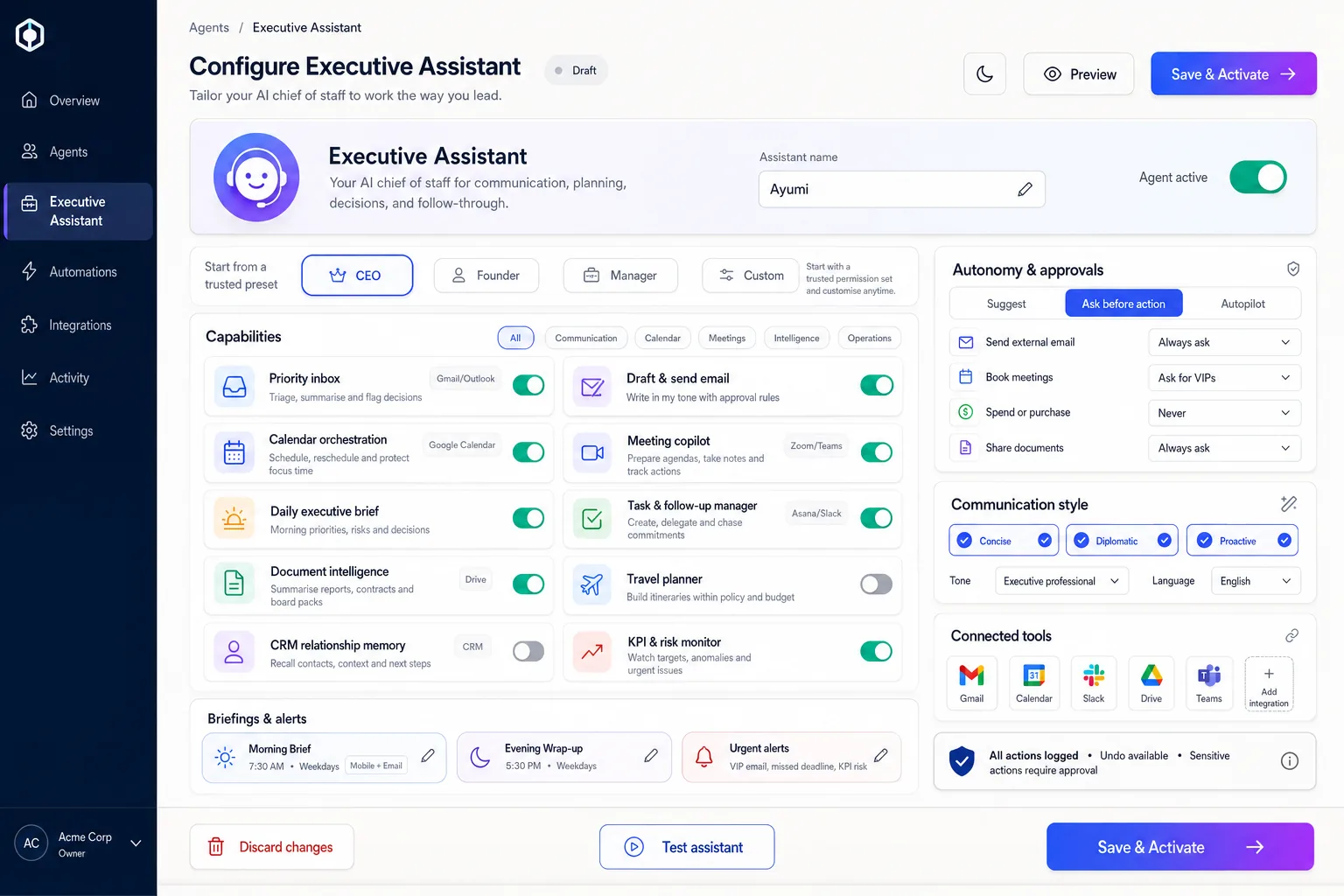
Governed autonomy
Give Atlas more room on reversible, low-risk work, and require named approval before anything external or sensitive.
Deployment patterns
Atlas can run on infrastructure you own, including fully offline. Which of the patterns below fits is settled at architecture review rather than picked from a price list.
Ayonix operates the environment, for teams that want a fast start and managed integration work.
A dedicated environment with your own network controls, for regulated workloads.
Keep selected systems and data paths inside your environment while Atlas coordinates the approved work. ATLAS BOX runs the same agents on your own premises, offline.
A complete service, not a software hand-off
Map the executive routines, the channels, the approval boundaries and the outcomes worth measuring.
Integrate the approved accounts, calendars, knowledge sources and operational tools.
Configure tone, memory, policy, daily briefs, skills and exception handling.
Monitor usage, quality, risk, adoption and the time the organisation gets back.
The business case
These are the measures a pilot should agree on before it starts. Ayonix publishes no productivity percentage, because a number taken from somebody else's deployment tells you nothing about yours.
Why Atlas
Compared with the categories a buyer usually evaluates alongside it, rather than with any named product.
| Capability | Meeting bot | Calendar tool | General chatbot | Atlas Executive Assistant |
|---|---|---|---|---|
| Email and messaging operations | — | — | Limited | Included |
| Meeting lifecycle | Notes | Booking | Limited | Before, during and after |
| Browser actions | — | — | Varies | Approval-controlled |
| Editable executive memory | — | Preferences | Varies | Policies and preferences |
| Japan-ready messaging | — | — | — | Regional channels, multilingual |
| Deployment choice | Cloud | Cloud | Cloud | Cloud, private, hybrid or on-premise |
Procurement FAQ
Atlas is scoped around your approved workflows, your data boundaries and your risk policy.
Atlas can be configured to triage email and messages, prepare and schedule meetings, write briefs, capture decisions, coordinate follow-up tasks, search the knowledge you connect and complete browser work under approval. Which of those are switched on, and for which accounts, is decided during setup.
Only where you decide it should. Autonomy is set per action: reversible, low-risk work can run on its own, while external messages, bookings, payments, publishing and record changes can each require a named person's approval first.
Atlas is designed for the mainstream meeting platforms, with calendar, preparation, capture and follow-up options. What is actually available in your tenant depends on the vendor's API and your own permissions, so Ayonix confirms the meeting platforms with you during discovery rather than publishing a compatibility list here.
No, and the page is deliberate about that. The products named are the stack Atlas is designed to work across, not a certified or pre-approved connector catalogue. Availability depends on the vendor's API, your permissions, your region and the deployment you choose, and Ayonix confirms the scope before anything is committed.
Personal and shared workspaces can be kept separate. Administrators control connector scope, access, retention, logging, and which context is allowed to reach a shared channel.
Browser work is approval-first, not autonomous browsing. Atlas asks before a consequential action, hands control back for credentials, payment details and anything irreversible, stops when a page does not match what was expected, and records what it did so the step can be checked afterwards.
Yes. Atlas can run on infrastructure you own, and ATLAS BOX runs the same agents on your own premises with no cloud connection required. Whether managed cloud, private cloud, hybrid or on-premise fits your case is settled at architecture review.
Yes. Ayonix can deliver managed connectors through a vendor's API, secure webhooks, MCP tools, or a browser workflow where no supported API exists.
A focused discovery and pilot: choose the executives, define three to five workflows, connect the approved systems, agree the measures and run a governed trial in production conditions.
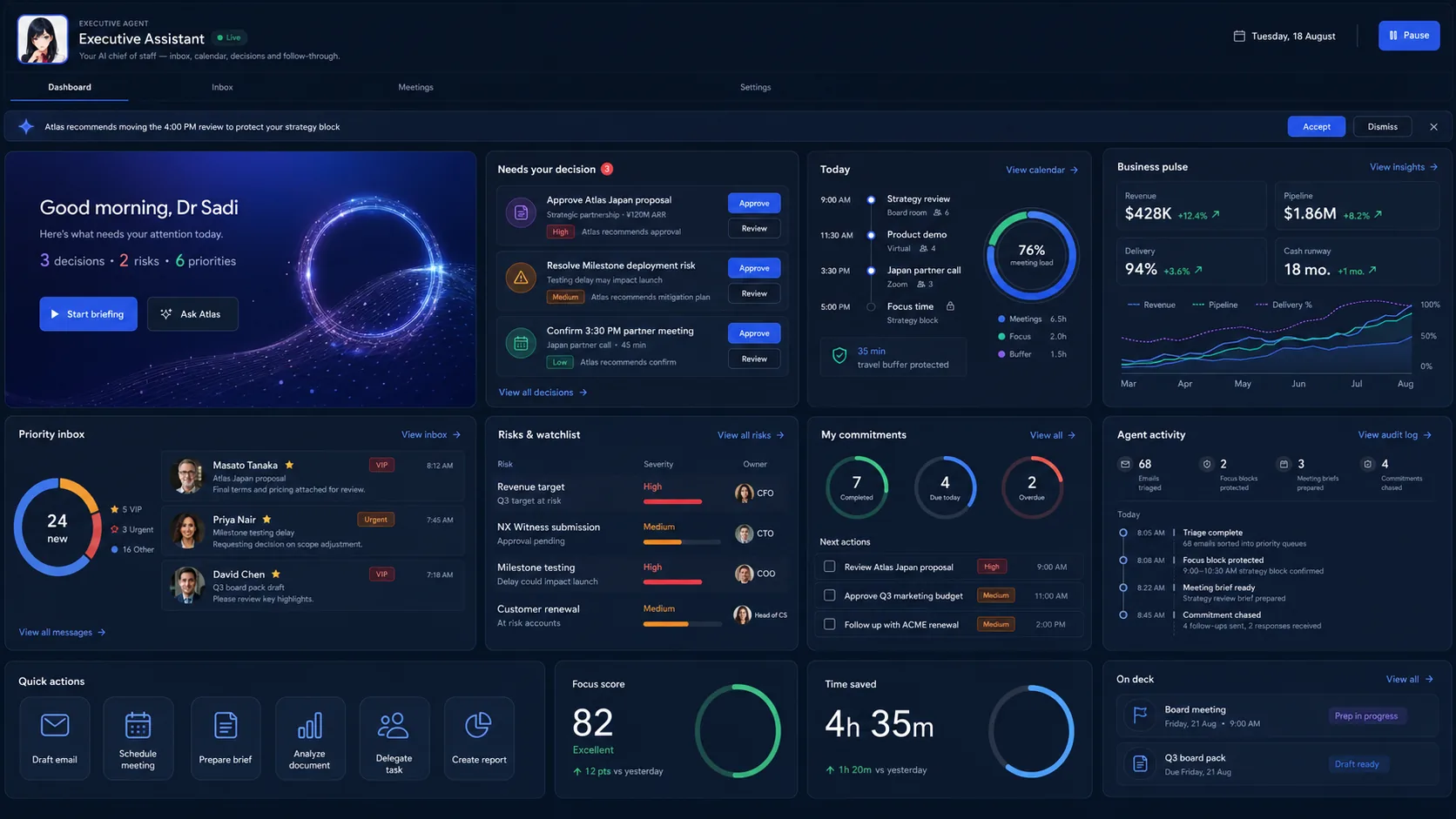
No. Every interface on this page is an illustration and every number in it is sample data. Ayonix publishes no productivity percentage, customer count or time-saved figure for Atlas, because a figure from another organisation's deployment would tell you nothing about your own.
Put your workday in motion
Bring one real workflow. Ayonix will show how Atlas can connect it, govern it and complete it.